


By feature
Robotic pool cleaners with remote control: today that means a phone app
Top pick: Dolphin Sigma
Live prices · Free shipping · 30 Day Trial
The short answer
None of these robots comes with a handheld remote. Remote control now lives in a phone app, and two of the five Dolphins in these guides have it.
No robot here has a handheld remote. Remote control means the myDolphin Plus app. The Dolphin Sigma is the first pick: its app connects over Wi-Fi and Bluetooth, with weekly scheduling by day and time and Siri voice control. The Dolphin Quantum offers app control over Wi-Fi, with start, stop, schedule, cleaning modes and alerts, at a lower price. The Cayman, Premier and Escape have no app.
Ask for a pool robot with a remote control and you are probably picturing a handheld unit with a joystick. That is not what you will find here. None of the five Dolphins in these guides ships with a handheld remote. Remote control now means an app on your phone.
Two of the five have that app, and they are the two picks on this page. Among these five, the best robotic pool cleaner with remote control is the Sigma or the Quantum. Before you choose, be clear on what the app does. It starts and stops the robot and sets its schedule, and on the Quantum it also selects cleaning modes and sends alerts. We do not claim joystick-style steering for either robot. And the Cayman, the robot this store is named for, has no app at all.
Our picks, in order
Two Dolphins you can run from a phone.
- 1
 $2349
$2999Save $650Temporarily out of stock
Wi-Fi, Bluetooth and Siri voice control
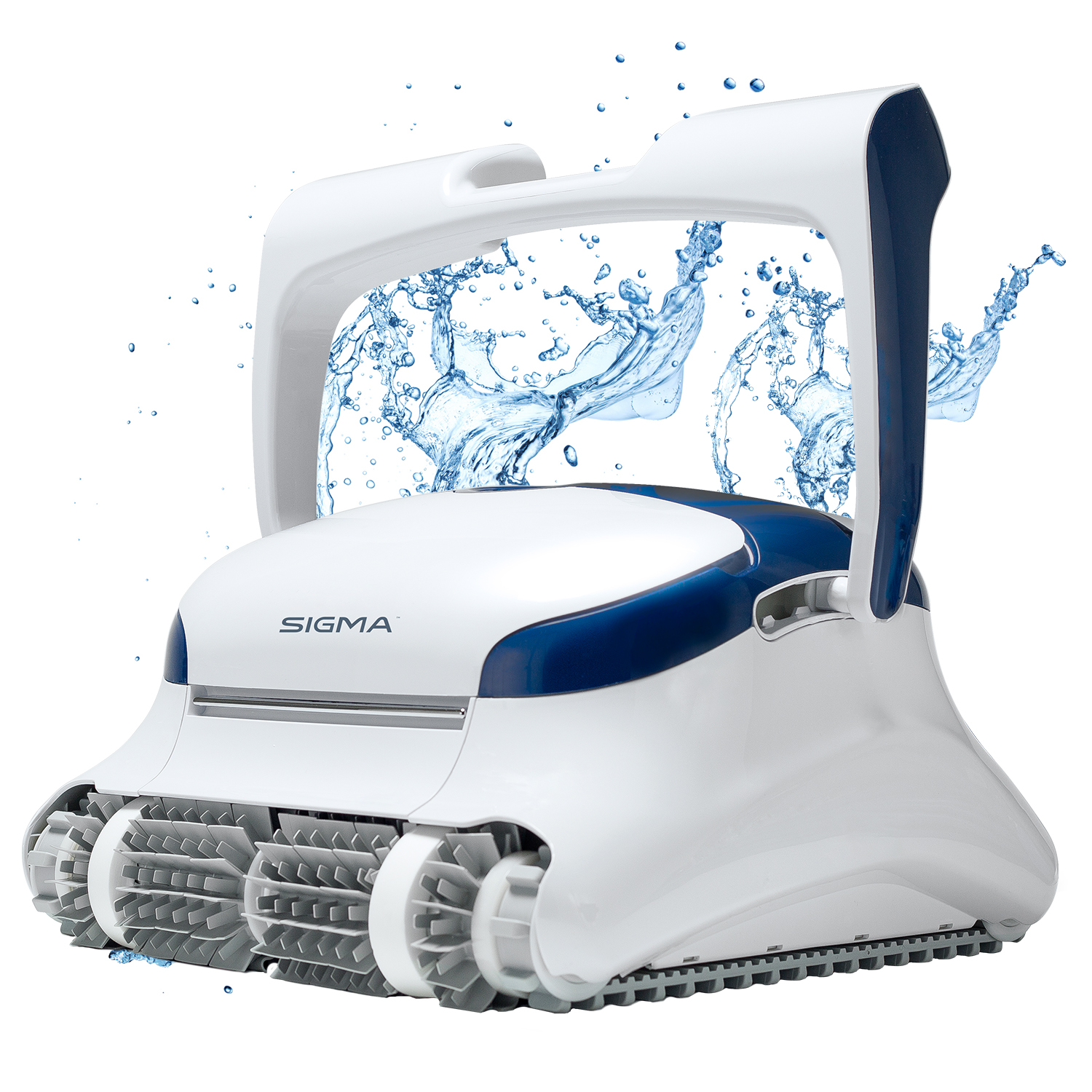
Dolphin Sigma
The Sigma has the fullest remote control of the Dolphins in this guide. Its myDolphin Plus app connects over both Wi-Fi and Bluetooth, which gives you a second route to the robot at close range. The weekly scheduler lets you choose cleaning by day and time, a filter alert arrives in the app when the cartridges need attention, and it supports Siri voice control.
The robot behind the app is the most heavily equipped here: SmartNav 3.0 with an onboard gyroscope, three commercial-grade ProLine motors moving 4,500 GPH, quad scrubbing brushes, and floor, walls and waterline coverage in in-ground pools up to 50 ft, with a 3-year warranty.
- Best for
- In-ground pools up to 50 ft whose owners want to run and schedule the robot by phone or by voice.
- Keep in mind
- It is the dearer of the two picks, and a 24.6 lb lift. Its scheduler lives in the app, so it is the wrong robot for anyone who would rather not use a phone.
- 2
 $1599
$1799Save $200Temporarily out of stock
App control over Wi-Fi at a lower price
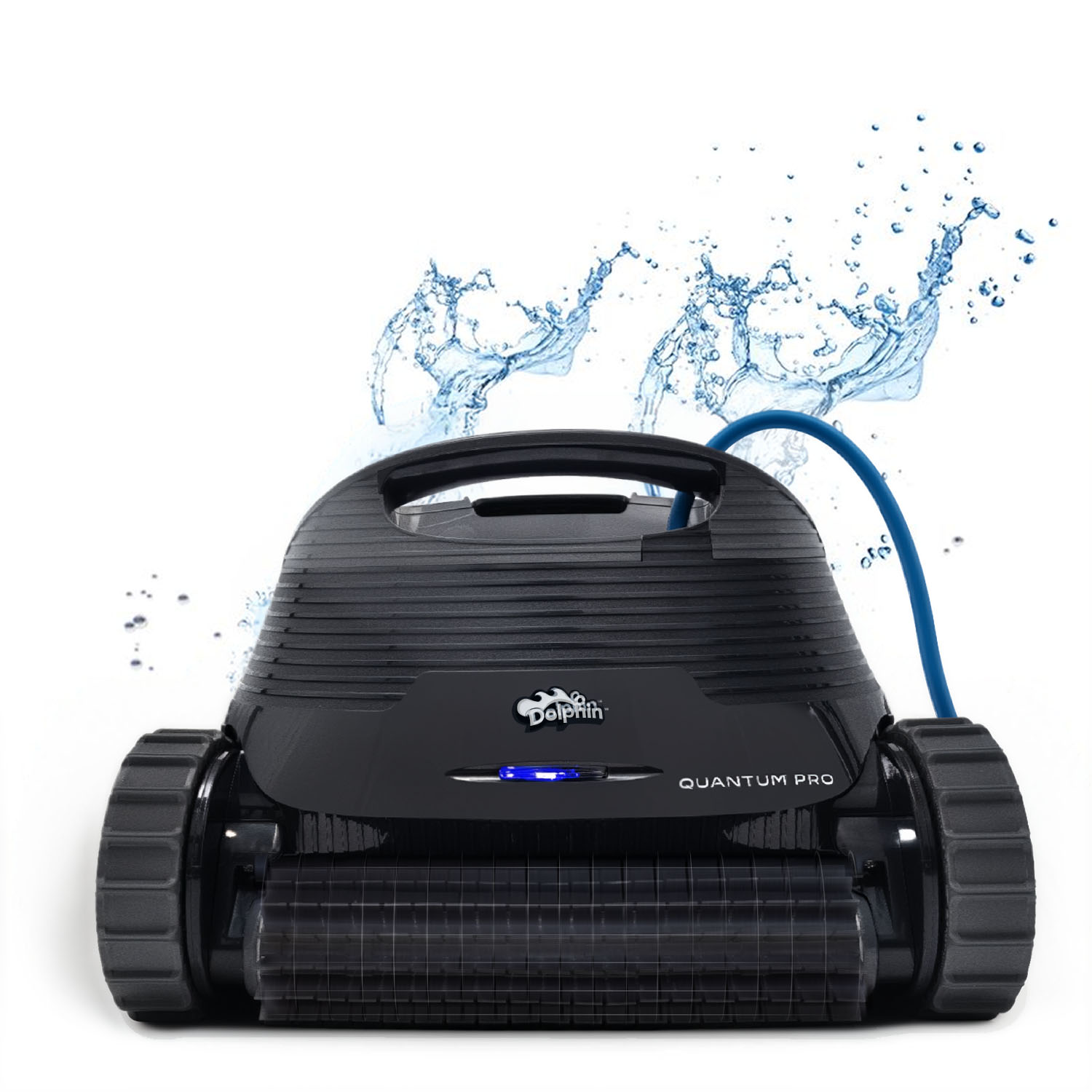
Dolphin Quantum
The Quantum's myDolphin Plus app works over Wi-Fi and covers the functions you will use: start, stop, schedule, cleaning modes and alerts. Picking a cleaning mode from the phone is something no power-supply robot here can offer, and it is handy when you want a different kind of clean without going outside.
Unlike the Sigma, whose scheduler is set in the app, the Quantum also has a weekly timer on the power supply itself: every day, every 2 days or every 3 days. So it keeps a schedule without a phone or a network, and the app is there when you want it. It is the lowest-priced 50 ft robot here, weighs 18.3 lb, and cleans floor, walls, waterline, sun shelves, Baja ledges and stairs.
- Best for
- Buyers with in-ground pools up to 50 ft who want app control and a timer to fall back on.
- Keep in mind
- Listed with Wi-Fi only, so check that your network reaches the power supply. Voice control is not listed, and the warranty is 2 years.


How to judge a robot for this
What to look for in remote control.
- 1
What the phone can actually do
Start and stop, scheduling, cleaning modes and alerts are the useful functions. Be honest about which you would use every week. Scheduling and a filter alert earn their keep. Steering by hand, where a robot offers it, is mostly for spot-cleaning one area.
- 2
How the app connects
Wi-Fi control depends on your home network reaching the spot where the power supply sits. Bluetooth works at close range and does not rely on that network. The Sigma has both. The Quantum is listed with Wi-Fi.
- 3
What happens when the phone is elsewhere
A robot should keep to its schedule when your phone is switched off or far away. The Quantum also has a weekly timer on its power supply. The Sigma's weekly scheduler is set in the app. Decide how much you want to depend on a phone.
- 4
Whether a timer would do
If what you really want is to stop walking out to press start, a timer does that with no phone involved, and it opens the choice to robots lower in price. Remote control earns its place when you change settings often.
Side by side
App, scheduling and connection compared.
| Specification | Dolphin Sigma | Dolphin Quantum |
|---|---|---|
| Price today | $2349 | $1599 |
| Cleans | Floor, walls and waterline | Floor, walls, waterline, sun shelves and stairs |
| Scheduling | Weekly scheduler by day and time | Weekly timer: every day, every 2 days or every 3 days |
| App | myDolphin Plus (Wi-Fi and Bluetooth) | myDolphin Plus (Wi-Fi) |
| Filtration | NanoFilters and standard filter cartridges | XXL MaxBin basket with standard and NanoFilter panels |
| Brushes | Quad scrubbing brushes | Dual HyperBrush |
| Navigation | SmartNav 3.0 with gyroscope | SmartNav 2.0 |
| Cable | 55 ft with 360° anti-tangle swivel | 55 ft with anti-tangle swivel |
| Warranty | 3 years | 2 years |
What remote control means on a pool robot now.
On the five Dolphins here there are two kinds of control. Three robots, the Cayman, Premier and Escape, are run from the power supply. Two robots, the Sigma and Quantum, add the myDolphin Plus app, and the phone becomes the remote.
What the phone gives you is control from wherever the connection reaches: start a cycle from the kitchen, stop one when guests arrive, change the schedule without going outside. What we will not promise is joystick steering. We list the app functions each robot is published with and nothing more.
Keep steering in proportion, too. Where robots do offer manual driving, it is used mostly to send the robot to one dirty patch. That is not how a pool gets cleaned week to week. Scheduling does that.
Check the connection before you buy.
App control is only as good as the signal at the pool. Radio does not travel well through water, so what counts is coverage where the power supply will sit, usually by an outdoor outlet some way from the house.
Stand at that spot with your phone and see whether your home Wi-Fi is usable there. If it is weak, the Sigma's Bluetooth gives you a close-range alternative, and the Quantum's power-supply timer keeps a schedule running regardless. For network requirements such as supported bands, check the manual. We do not quote them here.
When a timer is all the remote you need.
Plenty of pools do not need a phone in the loop. If the robot runs on a schedule and you empty the filter weekly, there is not much left to control. The Cayman's timer runs every day. The Premier's weekly timer, set on its power supply, offers every day, every 2 days or every 3 days. Neither needs a phone or a network. The Escape has no timer as standard, though an optional Automation Timer power supply adds one.
Choose an app robot when you expect to change things often: different modes, a schedule that moves with your week, a start when you are not standing at the pool. Choose a timer robot when you would rather set it once and forget the phone.
Set up app control so it works.
- Before buying, test your phone's Wi-Fi signal at the outlet where the power supply will sit.
- Set a schedule first. Scheduled cycles do most of the cleaning, and manual starts are for the day after a storm or a party.
- On the Quantum, learn the power-supply timer as well, so you can keep a schedule running if your network goes down.
- Turn on the app's alerts and act on them. Being told the filter needs cleaning is worth more than any remote start.
- Remember that the app cannot empty the filter. Lift the robot out at least weekly to rinse it, more often in leaf season.
Questions, answered
Remote control questions.
Do any of these robots come with a handheld remote?
No. None of the five Dolphins in this guide ships with a handheld remote. If you want a robotic pool cleaner with remote control from this site, that control is the myDolphin Plus app on the Sigma or the Quantum. The Cayman, Premier and Escape are operated at the power supply.
Can I steer a Dolphin around the pool from my phone?
We do not claim that for the robots on this page. The app functions we can stand behind are start, stop, schedule, cleaning modes and alerts on the Quantum, and scheduling, a filter alert and Siri voice control on the Sigma. If steering to one spot by hand is the feature you are buying for, ask a Dolphin expert before you order.
Can I control the Dolphin Cayman from my phone?
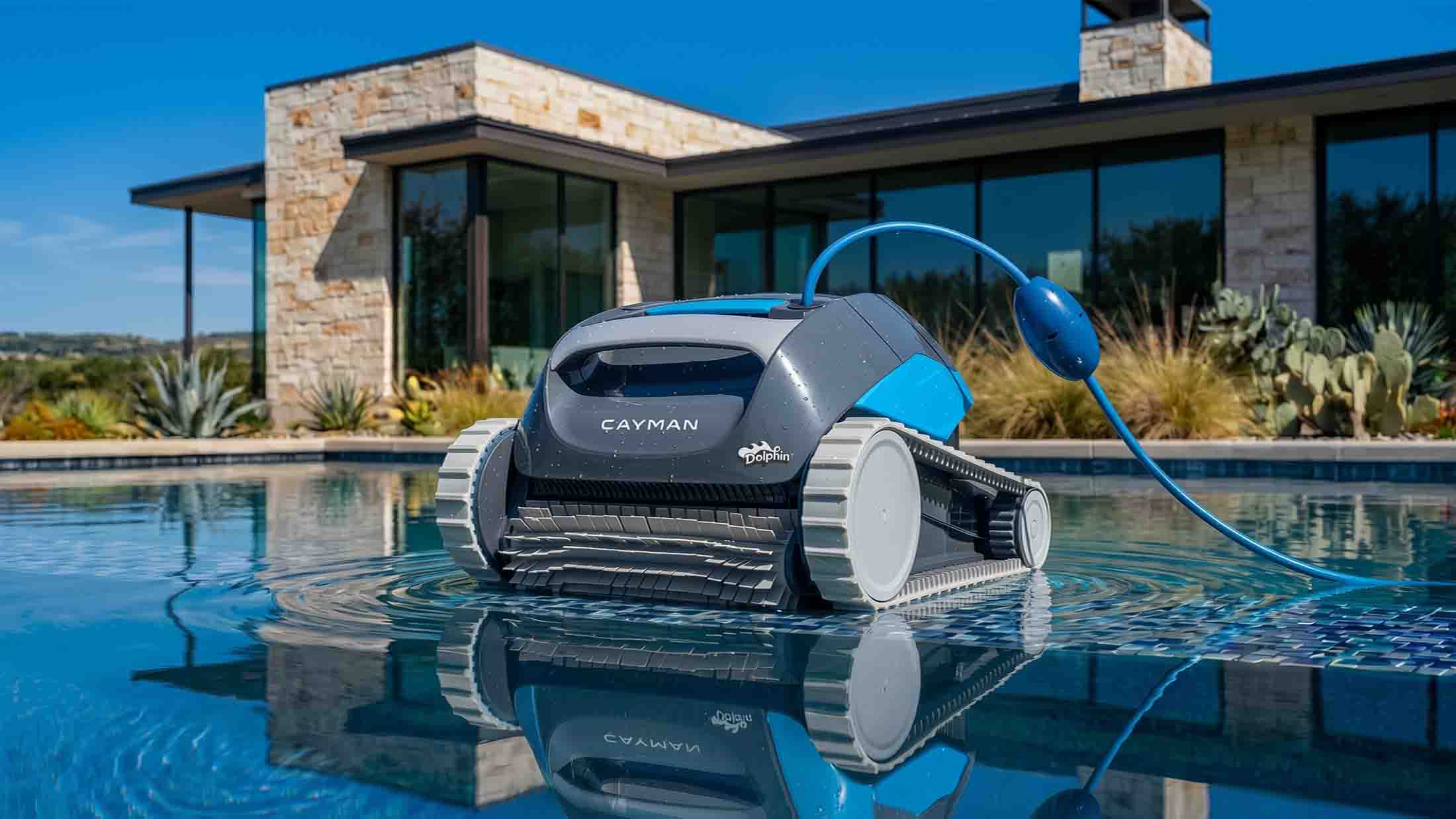
No. The Cayman has no app, no Wi-Fi and no Bluetooth. You start it at the power supply, or let its timer run a cycle every day. In a pool up to 33 ft that is often all the control you need. If phone control matters to you, the Quantum is the lower-priced of the two robots that have it.
Does a pool robot need Wi-Fi to work?
Wi-Fi is how the app reaches the robot, not what makes it clean. The Quantum can run from the weekly timer on its power supply with no phone at all. The Sigma's weekly scheduler is set in its app, which connects by Wi-Fi or Bluetooth, so plan on using a phone with it. The Cayman and Premier run from power-supply timers and have no wireless features.
Is a remote-control robot worth the extra money?
It depends on how often you would change something. If you want cleaning modes, a schedule that shifts from week to week, or starts from indoors, yes. If the robot will run the same schedule all season, a timer robot does the same cleaning for less, and the app would sit unopened.
The verdict
Phone or power supply: decide that first.
If you want the fullest phone control, with Wi-Fi, Bluetooth, day-and-time scheduling and Siri, buy the Sigma. If you want app control for less, with a power-supply timer behind it, buy the Quantum. Both are for in-ground pools up to 50 ft. If all you want is a robot that starts itself, you do not need remote control at all: the Cayman's every-day timer does that in pools up to 33 ft, at a lower price than either.
Keep reading